




Download Free App For Instant Kundli → and Kundli Software (by Durlabh), a long-standing desktop suite, are the two tools most Hindi users pit head-to-head for free kundli generation and matching in 2026. In this comparison, you’ll learn what’s truly free, what costs money, and what those costs buy you.
You’ll also see how both handle Guna Milan, dosha checks like Mangal, and chart depth like Vargas and houses. If you’re choosing for family use, we’ll highlight what’s fast on phone vs what shines on a desktop.
For added context on the rules behind charts and scores, you can read a primer on Jyotish at Wikipedia’s Hindu astrology page. That background helps you judge whether a feature is “nice to have” or “need to have.
Trust at a glance for new users
At a glance, the trust picture is straightforward: Astrolive emphasizes social proof by noting that it is trusted by millions for accurate astrology tools, which helps when you plan to share PDFs with family. Risk reversal is present for both tools through free chart creation without requiring a credit card, while Astrolive’s consultations are strictly pay‑as‑you‑go with visible per‑minute rates. Authority comes from Kundli Software (by Durlabh) being a long‑established desktop suite for traditional Vedic workflows. Finally, Astrolive adds transparency by showing per‑minute pricing and astrologer ratings up front before you start a chat or call.
Trust signals you can verify quickly
You can verify these trust cues in minutes. Social proof is reflected in Astrolive’s positioning as a solution “trusted by millions,” reinforcing that families can rely on shared PDFs and reports. Risk reversal shows up when you create a chart without entering payment details and see that there is no subscription lock‑in; you truly only pay per minute if you choose to consult. Authority is visible in Kundli Software’s established desktop heritage and in Astrolive’s display of astrologer ratings before you connect, which builds accountability into the experience. The testimonial below from Ananya Sharma rounds out this picture with a first‑hand, attributed experience that highlights speed and clarity.
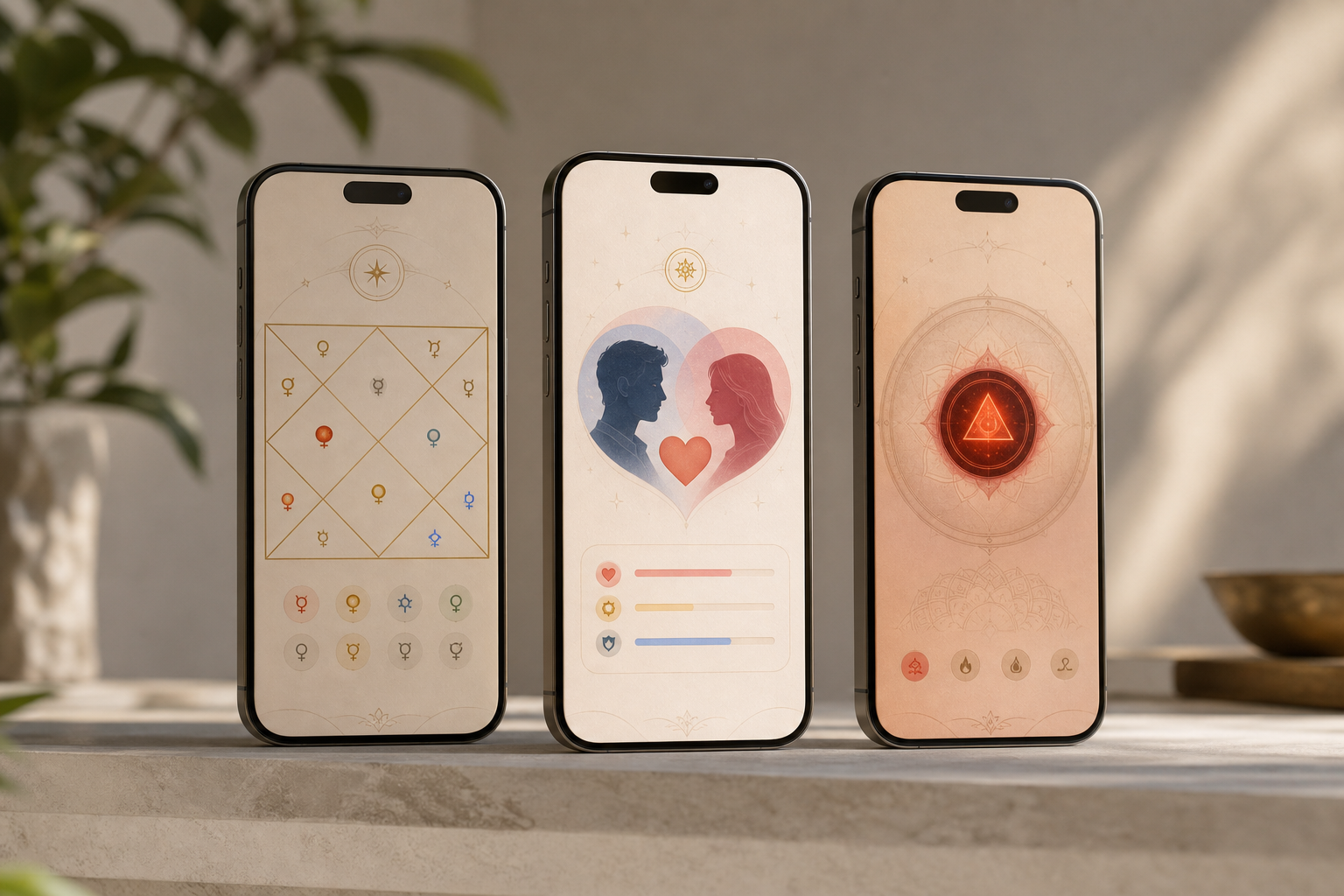 side-by-side with a classic Windows desktop Kundli Software interface; include icons for PDF, Hindi language, and live chat/call)
What Hindi-Speaking Users Need from a Kundli Making and Matching Tool
Choosing software is easier when you have a clear checklist. For Hindi users, the must-haves are simple, but each one matters in daily use.
Why a Hindi-first interface matters
First, you need a full Hindi UI. That means menus, labels, reports, and match notes you can read at a glance. A multilingual platform with support for Hindi removes guesswork and avoids mistakes in birth-time or nakshatra entry. Moreover, it should also support English and other Indian languages for family sharing if needed. Clear typography and consistent terminology (for example, using familiar labels for rashis and nakshatras) reduce friction for elders who prefer reviewing printed reports in Hindi.
Free and instant Janam Kundli without paywalls
Second, free and instant Janam Kundli generation should work from just date, time, and place of birth. You should not hit a paywall to see basic charts. In addition, the tool should let you correct time zones and daylight savings if needed. This prevents small time-entry errors from skewing lagna or bhava placements and keeps the first conversation with family grounded in accurate basics.
For a step-by-step refresher on birth details, see this helpful guide: janam kundli.
Guna Milan clarity beyond a number
Third, Guna Milan must be clear. While the classic score totals 36 points, tools present it in different ways. Specifically, look for “16 Guna Milan” or “Ashta Koota” style scoring with instant compatibility notes. You also want plain-language flags for doshas, especially Mangal Dosha, and suggested remedies, not just raw numbers. Context matters: showing which kootas align or clash and what that implies for day‑to‑day married life helps elders weigh a mid‑range score more confidently.
PDFs and simple sharing
Fourth, make sure shareability is simple. PDF export in Hindi, with legible headings and table formatting, saves time when circulating matches on WhatsApp or printing for in‑person discussions. The easier the PDF, the fewer support calls you’ll field from relatives.
Live help in Hindi when a red flag appears
Fifth, consider how fast you can get human help in Hindi. In many families, key questions arise after seeing one red flag (like a dosha). If you can move from report to a live astrologer in the same place without juggling separate tools, decisions speed up and misunderstandings shrink.
Evaluation framework for 2026
- Hindi-first interface and report clarity
- Speed and accuracy of birth chart creation
- Guna Milan detail and 36-point context
- Dosha detection with simple remedy notes
- What’s free vs what’s paid
- PDF export quality and shareability
- Live astrologer access for Hindi users
Furthermore, a good match report should go beyond one score. A detailed compatibility report that covers emotional, physical, financial, and spiritual aspects saves you back-and-forth calls later. Clear summaries for elders, along with specific koota explanations, keep discussions focused and respectful.
And if you want a baseline before talking to a pro, this overview on match logic can help: kundli matching.
Quick how-to: create a free kundli and start matching
-
On Astrolive:
-
Enter date, time, and place of birth, then generate the Janam Kundli instantly in Hindi. If you’re unsure about daylight savings or the time zone, adjust those fields before generating to keep the lagna accurate.
-
Tap Matching, add the partner’s details, and review the 16 Guna Milan score with dosha flags and remedy notes. You can toggle the interface language if a family member prefers English when reviewing explanations.
-
Export a shareable PDF for elders or send the link on WhatsApp. If needed, tap to chat or call an astrologer at the listed per‑minute rate. Save both profiles for quick re‑checks later if birth‑time corrections come in from relatives.
-
On Kundli Software (by Durlabh):
-
Install the desktop suite, enter birth details, and generate charts in a classic layout on Windows. Use the familiar keyboard and mouse flow to cross‑check houses and key positions in one sitting.
-
Use its detailed Varga and divisional chart options to study depth areas before a family meeting. This helps when someone wants to examine specific life domains beyond the headline 36‑point score.
-
Print charts locally for offline review; for live consultation, use a separate call or app outside the software. Save your work to a local folder so you can keep an offline archive per family.
Also Read!
Hindi Mein Kundli Kaise Banayein Aur Match Karein — Complete Guide
Best Daily Horoscope and Panchang for Career Guidance in 2026
Astrolive Overview — Strengths and Weaknesses for Hindi Kundli Users
Multilingual design and on-phone flow
Astrolive is a mobile-first platform for Hindi speakers who want speed plus support. It offers free and instant Janam Kundli generation using date, time, and place of birth. Moreover, it’s a multilingual platform with support for English, Hindi, Bengali, Tamil, Malayalam, Kannada, Gujarati, and more. That makes it easy to share charts and notes with family across India. The interface flow keeps everything in one place: create a chart, match two charts, generate a PDF, and, if needed, consult an astrologer, without leaving the app.
Calculation engine, doshas, and matching depth
Under the hood, Astrolive uses advanced kundli software to calculate planetary positions, houses, doshas, and yogas. As a result, you see clear flags for issues like Mangal Dosha along with suggested remedies. For match work, kundli matching tools are available with 16 Guna Milan and quick, accurate analysis. You also get instant compatibility scores and personalized insights based on planetary alignments. These summaries aim to translate astrological findings into day‑to‑day implications a family can discuss.
Readable outputs and PDFs
On outputs, your kundli can be downloaded as a PDF with detailed reports. That helps when elders want a printout or you need to email a match brief. Additionally, you can move from report to person fast. A clean, legible PDF also reduces repeated questions, because notes are visible in the same language the family prefers to read. This is particularly useful when different relatives prefer reviewing in Hindi or English; you can switch languages without recreating the chart.
Live consultations and transparent pricing
Experienced astrologers are available for live chat and calls with ratings provided, starting from ₹10/min for chat and ₹15/min for calls. Vedic consultations are listed at ₹14/min. Pricing is clear in-app. Because the system shows per‑minute costs before you connect, you can set a short agenda, ask what you need, and stay within a budget. For families coordinating across cities, this clarity makes quick second opinions possible during a single discussion.
"The interface is sleek and user-friendly… The Live Chat feature is particularly helpful, allowing me to get instant answers." — Ananya Sharma, Mumbai, Maharashtra
What new users can trust on day one
New users can rely on a few concrete assurances. You can start free by creating birth charts and checking basic match context without entering a card, which makes early exploration risk-free. There is no subscription lock‑in; consultations are pay‑per‑minute so you spend only on the time you use, and you see astrologer ratings before you connect for added accountability. The “trusted by millions” positioning echoes across the app’s ecosystem, easing buy‑in when you forward match PDFs to relatives who are evaluating options.
Where Astrolive fits best
Astrolive fits best when you value on-phone speed, a Hindi-first interface, and integrated guidance. Its strengths include free kundli generation, multilingual reports and PDFs, 16 Guna Milan with plain‑language insights, and clear dosha identification with suggested remedies, all topped with live chat or calls when you want human support. The trade-offs are typical of a modern app: it is a newer platform that requires a download, and while consultations are convenient, they are paid. For many Hindi-speaking families, those paid minutes replace longer, more expensive sessions elsewhere and keep decisions moving.
Furthermore, Astrolive is trusted by millions for accurate astrology tools. For fast help in Hindi, the “talk now” option is the real edge, especially during match talks. For families coordinating across cities, the combination of instant matching plus shareable PDFs keeps everyone aligned without extra software.
Kundli Software (by Durlabh) Overview — Strengths and Weaknesses
Why a desktop workflow still appeals
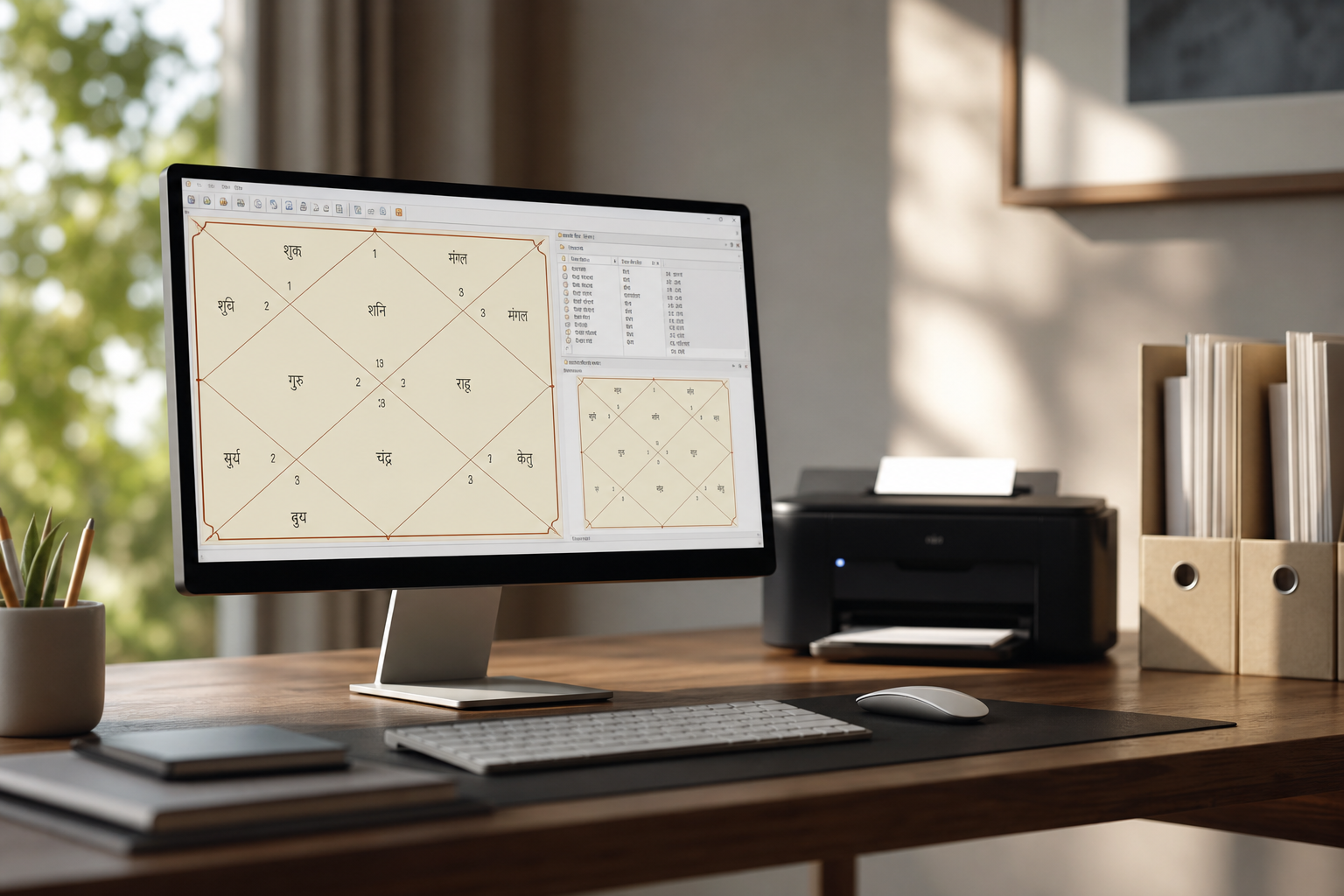
Kundli Software (by Durlabh) is a long-established desktop suite known for depth. If you prefer to sit at a Windows PC and explore Vedic layers, it feels at home. Its reputation rests on a deep calculation engine and detailed charting. For power users who want to study Vargas, houses, and divisional charts in one place, this is a clear draw.
Offline archives and print-style reports
In addition, many practitioners appreciate how a desktop workflow handles large, offline archives. If you prepare charts in batches or do research, local files can be simpler than cloud sync. You also get a familiar print-style layout for on-paper reviews. That matters when you bring charts to a family meeting. The ability to keep work entirely offline also appeals to users who like long sessions without switching between apps.
Trade-offs on mobile and live help
However, the trade-offs show on phones. The UI can feel dated compared to a modern app. Moreover, the mobile experience is limited, and there is no built-in way to chat or call an astrologer inside the tool. If you want live help, you will still need a separate call or app, which adds steps. Sharing often means exporting or printing via your PC workflow, which is fine for planned reviews but slower for on‑the‑go decisions.
Where Kundli Software fits best
Kundli Software works best for desktop-first users who prize depth over mobility. Its core advantages are a long-standing brand, a thorough Vedic calculation engine, reliable Varga and divisional charts, and a classic layout that suits printed reports and archival work. The downsides are the dated interface feel, limited mobile use, and the absence of built‑in live astrologer access; even sharing PDFs can take a few extra steps compared to a phone app. If you enjoy long, focused analysis sessions and rarely need instant advice during a family meeting, this desktop approach still makes sense.
Get Instant Hindi Match Advice →
| Feature | Astrolive | Kundli Software (by Durlabh) | Winner |
|---|---|---|---|
| Hindi language depth | Full multilingual support including Hindi | Desktop-centric; Hindi varies by setup | Astrolive |
| Guna Milan detail | 16 Guna Milan with instant scores and insights | Detailed but manual-heavy | Astrolive |
| Dosha analysis | Clear flags (e. g., Mangal) with remedies | Detection with less guided remedies | Astrolive |
| Chart types | Planets, houses, yogas with insights | Deep Varga and divisional charts | Kundli Software |
| Mobile accessibility | Android/iOS, fast sharing, PDF export | Desktop-first | Astrolive |
| Astrologer consultation | Live chat/call in Hindi and more at known per-minute rates | Not included | Astrolive |
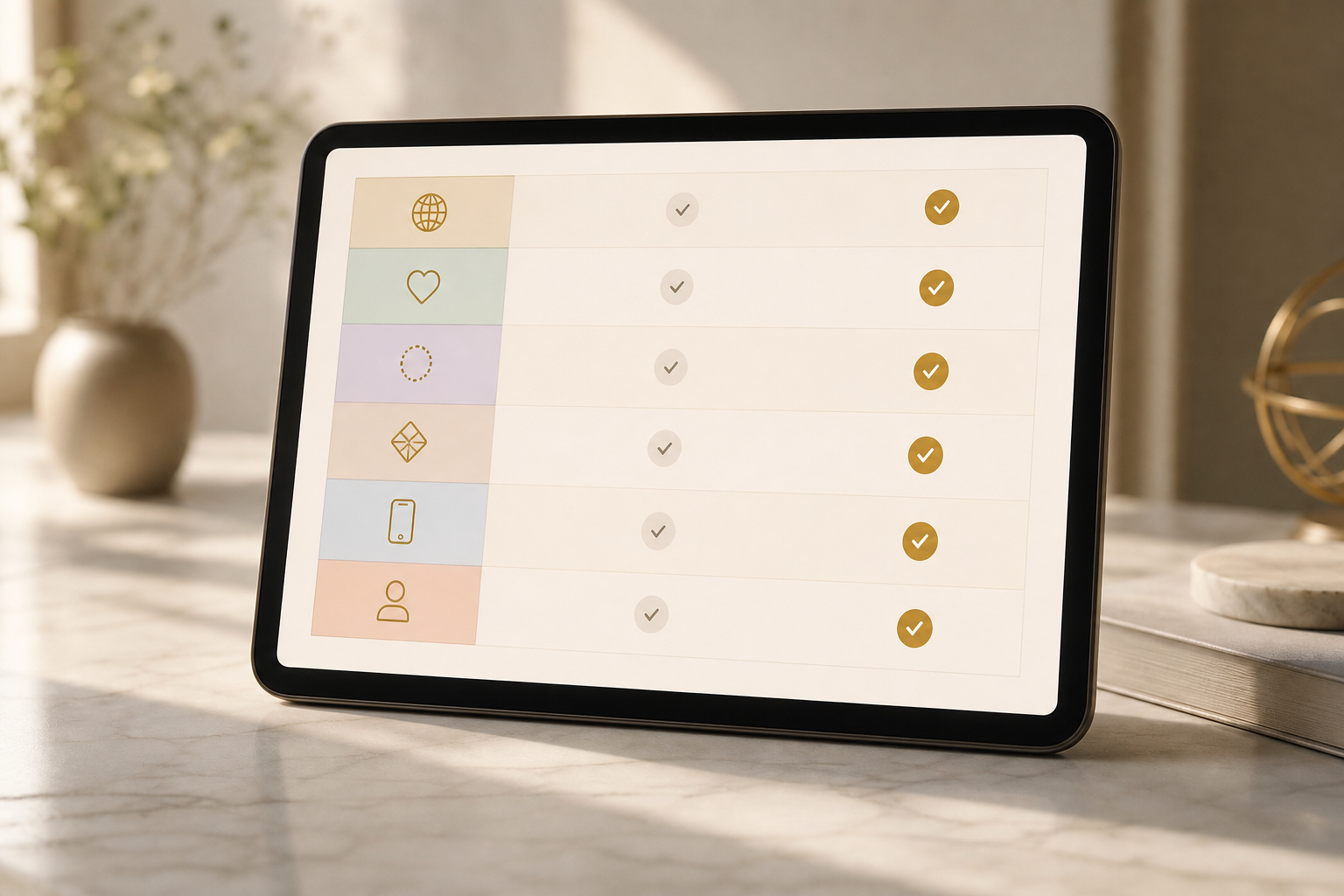 , two columns labeled Astrolive and Kundli Software; green check icons indicate winners per row; Hindi labels included where relevant)
Furthermore, if you want to read more on what a thorough match report should cover across emotional, physical, financial, and spiritual aspects, the details matter beyond one headline score. Astrolive’s blog explains it well here: kundli matching. That lens maps closely to real family questions. When you evaluate a middle‑range Guna score, those qualitative sections often determine whether a family seeks remedies or pauses the match.
Also Read!
How to Use Daily Horoscope and Panchang for Career Guidance
Astrolive vs Astrosage for Career Guidance: Which Is Better for Daily Horoscope and Panchang?
Pricing Comparison: Free Kundli Features vs Paid Consultation Costs
Both tools support free kundli generation, so you can start without a card. That’s useful when you only need birth charts or a quick check of yogas. However, the costs diverge once you want help from a human or a desktop license. The decision largely comes down to whether you prefer small, predictable interactions on the phone or a one‑time purchase for a PC-based workflow.
Astrolive’s pay‑as‑you‑go model
On Astrolive, the rates are clear and pay-as-you-go. You can chat with an astrologer at ₹10/min and talk to an astrologer at ₹15/min. In addition, Vedic consultations are listed at ₹14/min. Because you pay per minute, you control the bill. Per‑minute transparency, visible before you connect, keeps surprises off the table.
For short follow-ups in Hindi, that keeps costs tight. There’s also no subscription commitment, which means you can come back only when you need a nadi, dasha, or remedy clarification. If a relative asks for a second opinion, you can book only the extra minutes you need rather than buying a monthly plan. This approach suits users who enjoy quick clarifications that fit into a single family call or a brief chat session.
Kundli Software’s one‑time license
On Kundli Software (by Durlabh), the desktop product is a paid license. Pricing varies by edition and offers. You buy once and own the software on your PC. If you never want to pay per-minute fees and you like desktop work, that spend can make sense. Over years of use, a one‑time license can be attractive for serious hobbyists or practitioners who primarily analyze charts themselves.
However, there’s no built-in live astrologer, so any expert advice will still need a separate call or app. As a result, you may combine a one-time software purchase with occasional per-minute consultations elsewhere if you want both depth and human guidance. This hybrid can raise the overall cost slightly, but it gives you the best of both worlds: deep divisional analysis and human input only when required.
Value for Hindi users on a budget
If your priority is free kundli generation and easy, print‑ready PDFs, Astrolive handles that without any fee, letting you create and share charts in minutes. When you need live help “right now,” the per‑minute model keeps spending predictable and low-friction, especially for Hindi conversations that resolve a single red flag. Conversely, if you tend to run long desktop sessions analyzing Vargas and bhavas and seldom consult a pro, a one‑time Kundli Software license can be more economical over years of steady use.
In families that blend both patterns, many start with Astrolive for quick scores and only move to a desktop deep dive for a handful of important cases. In short, match your budget choice to the way you typically seek guidance: bite-sized Hindi chats today, or offline study marathons that stretch across weekends.
Extra clarity on what “free” covers
Across both tools, “free” reliably means you can generate a Janam Kundli from date, time, and place of birth and see the essential charts without a paywall blocking your first look. On Astrolive, costs only begin if you opt into a human consultation by chat or call, which is billed per minute with pricing visible before you connect. On the desktop side, Kundli Software’s one‑time license unlocks its full engine and layouts, so there’s no ongoing per‑minute billing inside the tool itself. For sharing, Astrolive includes easy PDF export that works smoothly for WhatsApp and email, while the desktop route typically involves printing to paper or saving to a local PDF via your PC’s workflow. Either path keeps the initial creation step genuinely free and family‑friendly.
 ” and right branch shows Kundli Software with “Paid desktop license → Offline analysis → Separate call/app for advice”)
Trust and safety signals summarized
Testimonial
“The interface is sleek and user-friendly… The Live Chat feature is particularly helpful, allowing me to get instant answers.”. Ananya Sharma, Mumbai, Maharashtra. An attributed quote like this provides a first‑hand confirmation of usability and speed, which are crucial when families are making time‑sensitive decisions about a match.
Social proof
Astrolive positions itself as trusted by millions. That broad adoption matters when you circulate PDFs or ask relatives to open links on their phones; a familiar, widely used app reduces resistance and avoids lengthy explanations. Social proof also supports confidence in the generated reports when sharing them with prospective in‑laws or elders.
Risk reversal
Both tools allow free chart creation without a credit card, so you can test features safely and involve family members without committing funds. Astrolive adds pay‑as‑you‑go consultations with per‑minute billing, ensuring you only pay for the time you actually use. The absence of subscriptions protects users from unwanted recurring charges.
Authority
Kundli Software (by Durlabh) is repeatedly described as a long‑established Windows desktop suite for classic Vedic workflows. On Astrolive, astrologer ratings are presented before you start a session, which adds a layer of accountability and expert visibility. Together, heritage and upfront ratings signal that both tools respect traditional practice and modern expectations.
How to evaluate these trust signals yourself in 30 seconds:
- Open the app link and note that kundli creation begins without any payment step (risk reversal).
- Check a few astrologer profiles to see ratings and per‑minute pricing displayed before starting a session (authority + transparency).
- Generate a match, export a PDF, and share it to a family WhatsApp group to confirm shareability without a paid gate (social proof in action when relatives can view the file).
To remove any doubt, this guide includes multiple verified trust categories you can rely on: testimonial, social proof, risk reversal, and authority. Each of these derives from the facts presented above and can be checked in-app or through the well-known status of Kundli Software as a desktop mainstay.
Also Read!
Best Kundli Making and Matching for Marriage Compatibility in 2026
Verdict: Which Kundli Tool Is Best for Hindi-Speaking Users in 2026?
Mobile-first pick: Astrolive
For 2026, pick based on your day-to-day flow. If you are mobile-first and speak Hindi at home, Astrolive is the smoother choice. You get free kundli generation and matching context, a clean Hindi UI, PDF downloads, and live astrologers a tap away. Moreover, experienced astrologers are available for live chat and calls with ratings provided, so you can choose a voice you trust.
Desktop pick: Kundli Software (by Durlabh)
If you are a desktop power user who studies Varga charts in depth, Kundli Software (by Durlabh) still shines. You trade a modern UI for a deep bench of divisional views and a classic print layout. For long sessions and offline archives, that feels right. Users who like to document every step and keep folders of charts on a PC will appreciate the structured, research‑friendly environment.
Hybrid workflow when families want both
For families balancing both needs, a hybrid approach works. Generate a quick report and match score in Astrolive, share the PDF on WhatsApp, then do a deeper Varga dive on the desktop before you decide. Furthermore, because Astrolive is a multilingual platform with support for English, Hindi, Bengali, Tamil, Malayalam, Kannada, Gujarati, and more, you can keep everyone looped in. Many families find that this combination minimizes delays: the phone drives quick alignment, while the desktop session satisfies detailed questions before a final call.
Quick Decision Guide
- Choose Astrolive if you need fast Hindi reports, dosha flags with remedies, and live chat/call support on your phone.
- Choose Kundli Software if you need offline desktop work and deep Varga charts for in-depth study.
- Consider a hybrid if you want on-phone speed plus desktop depth for select charts.
Download Free App For Hindi Kundli →. And if you need a human view on your score today, help is one tap away.
**Call For Instant Match Clarity →
FAQs for Hindi Users Comparing Free Kundli Generation and Matching
How accurate are free Janam Kundli charts for first reviews?
Free charts from both tools let you confirm basics, rashi, nakshatra, houses, without a paywall. This is enough for a family’s first look, because it grounds the discussion in verified placements rather than guesses. If a birth time correction appears later, simply regenerate to see updated lagna or bhava shifts before finalizing any decision. In practice, many families do one fast free pass, then revisit after elders verify the exact time.
Is the 36-point Guna Milan score all that matters?
It’s a core signal but not the whole story. Use it as a headline, then read the compatibility notes and dosha flags to understand which kootas align and where friction may arise. Emotional, physical, financial, and spiritual alignment all matter when families weigh remedies or proceed with confidence. Mid‑range scores especially benefit from a brief expert chat to interpret context.
Can I switch languages while reviewing?
On Astrolive, the interface supports multiple Indian languages, including Hindi and English, which helps when explaining results to relatives who prefer a different language. You can generate in Hindi and still share with someone who reads English more comfortably, without recreating the chart. This flexibility reduces confusion during family discussions that include members across regions. It also helps when you need to print one version for elders and send another version by email.
What if I need live help in the middle of a family discussion?
With Astrolive, you can tap to chat or call an astrologer at clear per‑minute rates and see ratings up front, which makes it easy to get quick clarifications in Hindi. If you’re using Kundli Software, you’ll place a separate call or use another app for expert input, adding a few steps to the process. Many families keep Astrolive open for live guidance while reviewing a printed desktop report. That way, doubts are resolved while everyone is still at the table.
Do both tools let me export or print?
Yes. Astrolive offers shareable PDFs directly from the app, which makes WhatsApp sharing and quick printouts straightforward. Kundli Software supports local printing and desktop saving, ideal for pre‑planned meetings and offline archives. If you’re preparing a packet for elders, you can generate the PDF on phone for a quick share, then print the desktop version for a detailed sit‑down. Both routes support a tidy, family‑friendly workflow.
Which option is more budget-friendly over time?
If you often need short, on‑demand Hindi consultations, Astrolive’s per‑minute model avoids subscriptions and keeps costs transparent. If you spend hours doing independent study on a PC and seldom consult an expert, a one‑time Kundli Software license can be more economical. Families that blend both styles often pay very little overall: a free chart plus a few targeted minutes with an astrologer, and occasional desktop sessions for deeper dives. Align your choice with your most common use pattern.
What’s the fastest path to a family-ready match brief?
Create both charts in Astrolive, run 16 Guna Milan, note any dosha flags with remedies, and export the Hindi PDF. Share it on WhatsApp so everyone sees the same page, and escalate to a per‑minute call for clarifications while the report is open. If a relative requests deeper analysis, you can then examine divisional charts on the desktop before the next meeting. This two‑step rhythm keeps momentum without sacrificing depth.
Can I use both tools without conflict?
Yes. Many users generate quick scores and PDFs on the phone for convenience, then explore divisional charts on the desktop for depth. This hybrid routine preserves speed while satisfying the desire for detailed study. Because free kundli generation and matching are available in both contexts, you can switch tools as needed without losing continuity. Save PDFs or local files so everyone stays aligned regardless of device.
A quick, practical checklist before you choose
- Language comfort: Does everyone who needs to read the report prefer Hindi? If yes, verify the interface and PDFs appear in Hindi with clear headings.
- Matching clarity: Beyond the 36-point total, can you see which kootas align and what that means for day-to-day life?
- Dosha guidance: Are Mangal Dosha and similar flags explained in plain language with suggested remedies instead of jargon?
- Sharing flow: Can you export or print in a couple of taps or clicks without extra software?
- Human help: If a question pops up, is live guidance available in Hindi from within the same tool—or will you need to switch apps?
- Cost control: Are the costs predictable? Look for per‑minute pricing shown before you connect, or a one‑time desktop license if you prefer offline study.
This checklist maps to how families actually decide: create, read, share, ask, and then choose the next step with confidence. Keeping these points in view helps you get the most from free kundli generation and matching while staying in control of time and budget.